A journal for your dreams.
Sometimes all you remember of a dream is one image. Reflita gives you somewhere to put it when you wake up. You can come back to it when you have time.
See the app screens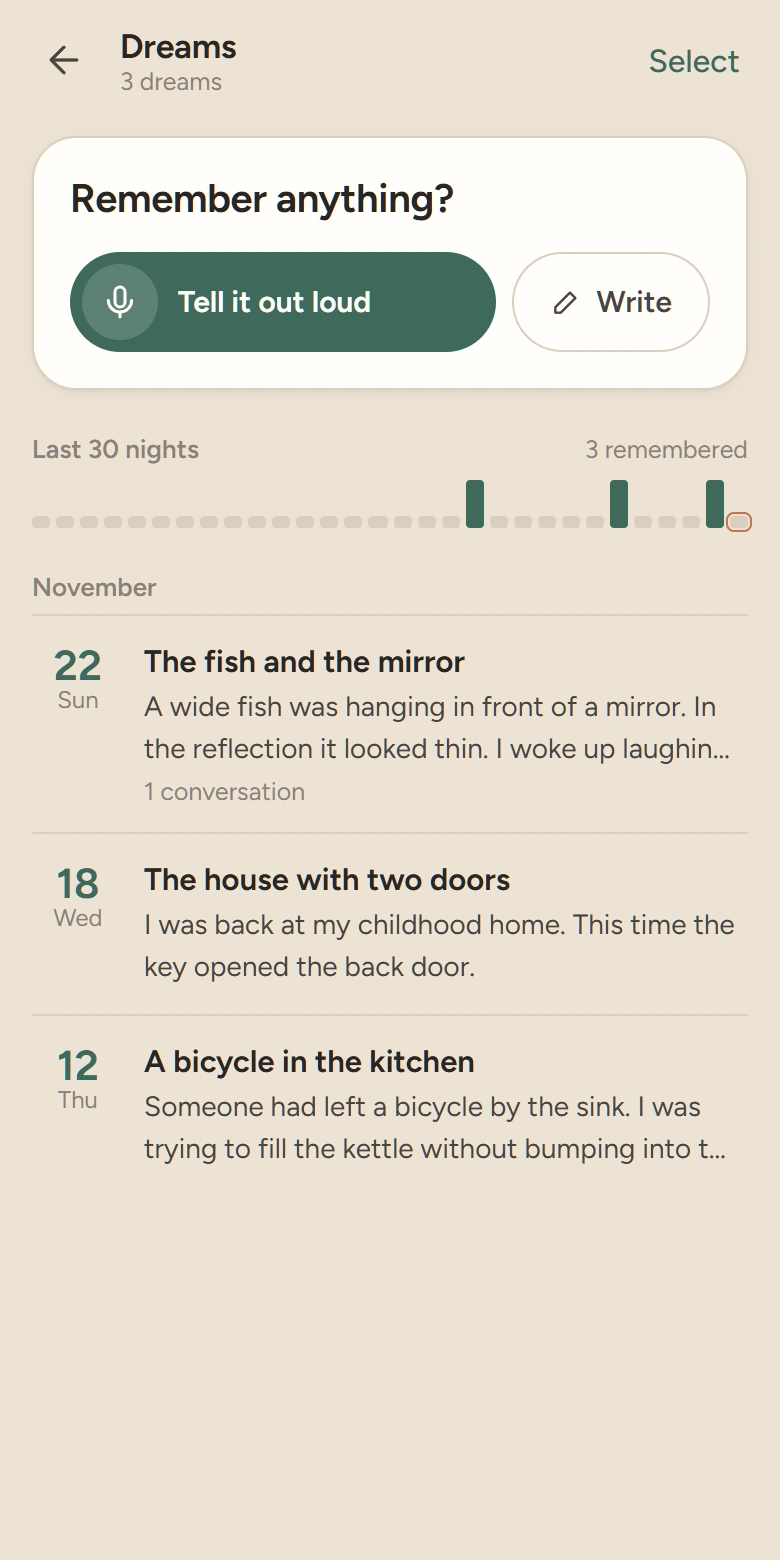
Inside the dream journal
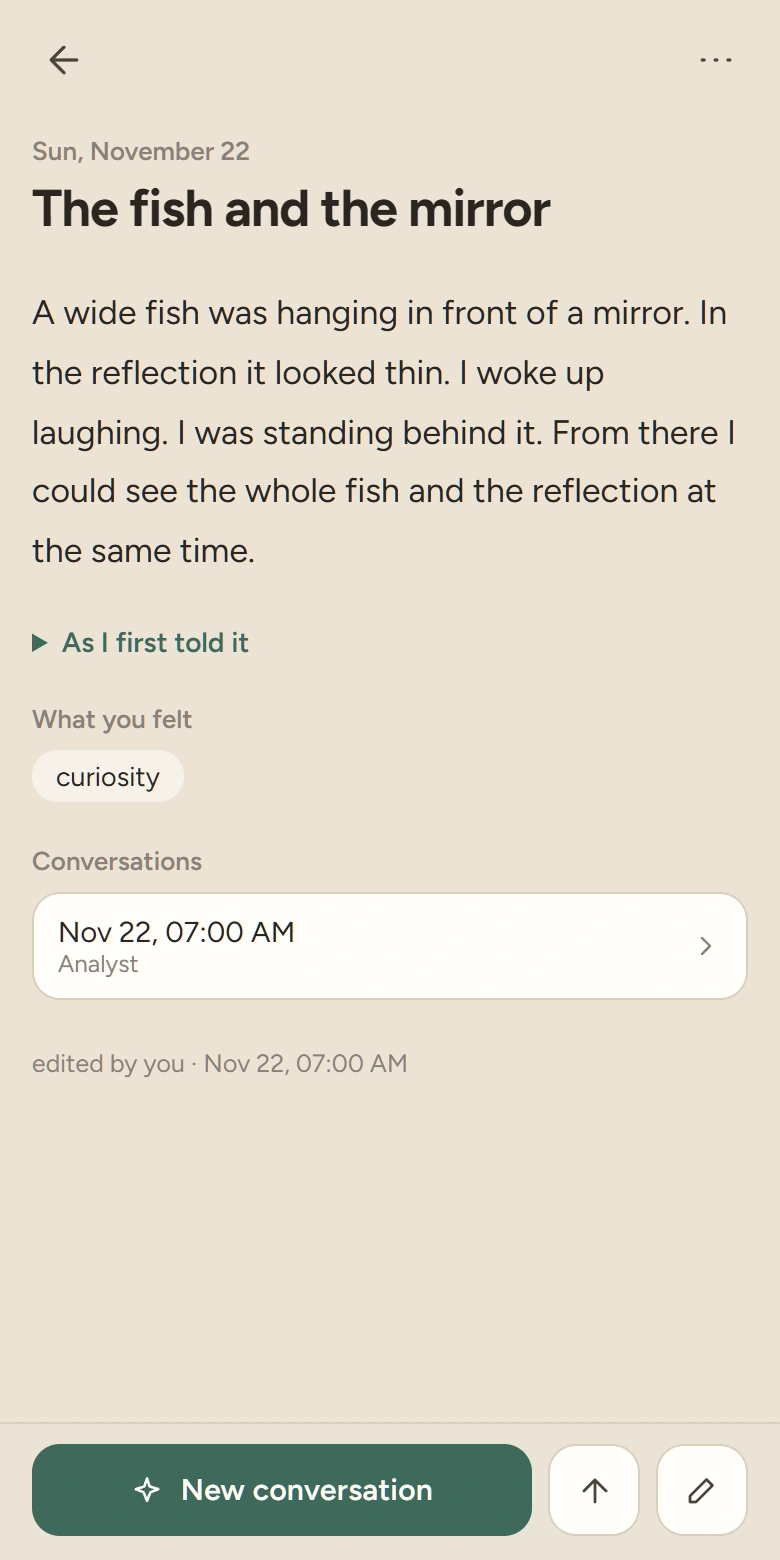
Write a few lines or tell the dream out loud. If you record it, you can fix the transcript before you save. Your first telling stays just as you saved it.
A detail you remember later can go into the current version. You can also read and restore earlier versions.
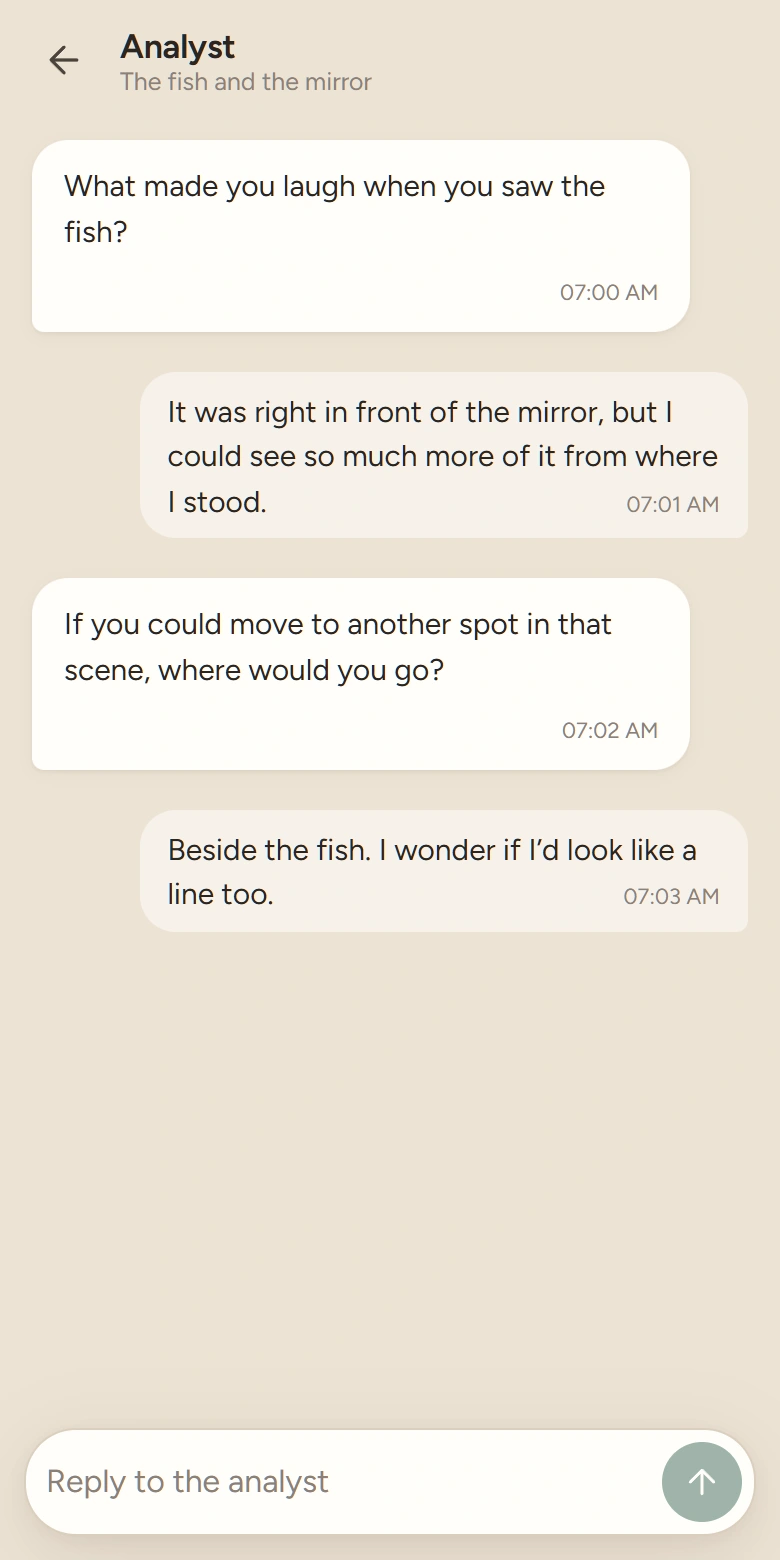
What does that fish remind you of?
You might think of the tank you had as a kid. Someone else might remember a Sunday lunch. The dream analyst starts with what you saw and how it felt. If a reading feels wrong, you can say so and take the conversation somewhere else.
When a scene comes back
Pick two or more dreams to talk about together. Maybe the same house appears on different nights. Reading both entries, you notice that the second time around you knew how to open the door.
What about the rest of your day?
In the main chat, you can return to something that happened while you were awake. Maybe being the only one who saw the whole fish reminds you of an argument yesterday. If you want to explore that connection, read over the dream summary and choose which parts to bring into the conversation.
About the main conversation →Questions
Can I just save a dream?
Yes. Choose “Just save” and come back another day. Talking to the analyst is optional.
What goes into my main conversation?
Dream conversations have their own history. To bring something into your main chat, ask for a summary, edit it and choose whether to send it. For accounts with a people journal, the analyst can also look up what you have said about someone who appeared in a dream.
Who decides what a dream means?
You decide what fits. The AI can ask questions and suggest readings. A health concern or distress that needs care belongs with a qualified professional. You can use the journal to keep a question you want to bring to a session.
How can I erase my data?
To remove a dream entry, open it, choose “More options,” then “Delete dream.” Conversations about it stay in your history. For the whole account, follow the deletion instructions below.
Delete account →